Checking other email accounts with Gmail is about to get much harder
Google decided that Gmail won’t fetch emails from third-party accounts using POP3 anymore. No explanation or justification, just less functionality.

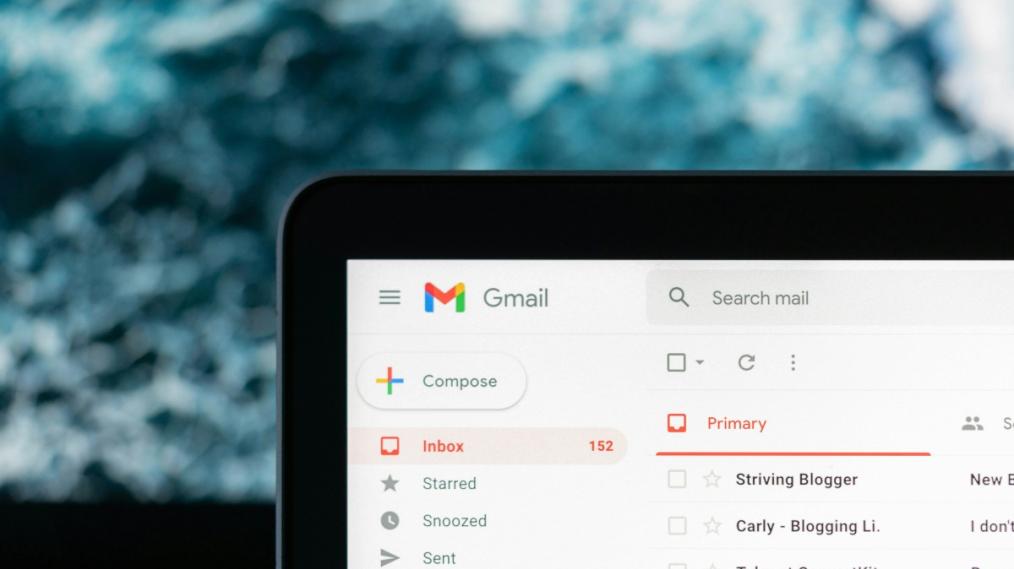
Google has gone and done it again. They’ve axed another useful feature. This time, POP3 support for Gmail. It’s not ideal, and we know many of you were using the ‘Check other email accounts’ feature with POP3.
It wouldn’t surprise us if this is the first time you’re hearing about this change—Google didn’t really want anyone knowing this was happening, only sharing the news in a small support article.
What the changes mean
POP3 is one of the two most popular email protocols, and works by downloading emails from a server to one local device. Check out our blog article comparing POP3 and IMAP if you need a refresher.
Previously, Gmail's convenient feature called "Check email from other accounts" enabled emails set up with POP3 to be readable using the Gmail website or app, with all Gmail’s features included.
But that won’t be the case any longer. Beginning in January, Google decided that you won’t be able to use Gmail as an inbox for emails sent to your own domain—like an email account you host with us. No explanation or justification, just more functionality stripped from the service.
The change hasn’t yet been rolled out for all Gmail users, but the change could happen on your accounts at any given moment. You need to be aware and prepared.
We know Google is an easy place to start and looks cheap, but going with a smaller company that will actually notice you pays off over time.
At the same time Google also shared that they’re removing support for Gmailify, the feature that brought tools like spam protection and automatic email sorting to third-party email accounts. This ultimately means that if you were using Gmail to bring all your email accounts together—accessing emails from a Gmail account like me@gmail.com at the same time as accessing a third-party account like me@mybusiness.com—you will no longer be able to use Gmail to access emails using POP3.
You can still use Gmail to access third party accounts if they’re set up with IMAP. However, with Gmailify features no longer supported, there is less purpose than ever in using Gmail for third-party email accounts
Even if your account is set to IMAP, If you want to keep opening third party accounts with Gmail you’re now being forced into either fully transitioning all your old accounts to Google Workspace, or dealing with a diminished email experience exposed to spam.
Google kept this one quiet
As big companies will often do when they have bad news, this update was only shared quietly. Despite this operational change potentially affecting a lot of their users, they didn’t think it was important enough to make a big deal out of.
Fetching POP3 was useful
Google made it clear in their support article: “fetching emails from third-party accounts into your Gmail account, with POP, will no longer be supported.”
We understand why many of you were set up with POP3 and using Gmail to check emails from all your accounts in one place—it was very convenient. Until Google decided they didn’t want you doing it anymore, it was a sensible practical approach.
It's not just Google. Microsoft took the lead when they made it harder for businesses to use Outlook with their own domains and no paid subscription. When it comes to closing the gates, Gmail is just catching up.
Not the first time (Google does it again)
Google hasn’t confirmed why they made this decision, but it’s not too hard to guess why.
At this point Google has made their priorities clear. If you’re not paying big money for Workspace, you don’t matter to them. Just look at when Google pulled the rug on their free G Suite services to try and push everyone to get Workspace subscriptions.
Google has built a track record for quietly closing down services. A couple of years back they abruptly shuttered Google Domains because they wanted to “sharpen their focus”. Beyond the hosting space, Google’s list of discontinued products is even more exhaustive: Google Stadia (2019-2023), Google Podcasts (2018-2023), Google Hangouts (2013-2022), and Google URL Shortener (2009-2019) to name a few.
Relying on Google services is unpredictable, and it’s becoming difficult to guess which longstanding, useful feature is next on Google’s chopping block.
Your emails are your business
Using business email addresses is an important step to prove your company’s legitimacy. Email has been around forever, but for most industries, it’s still the most widely used and trusted channel for formal business. It’s also quite possibly your main channel of communication with your clients.
Adopting your domain in your email address strengthens your brand, showing that your business is established, credible, and that you take customer communication seriously. Emails from example@company.com are a lot more trustworthy than emails from example@gmail.com.
If you have a domain registered, then you have already reserved the right to use it in as many email addresses as you choose.
And if you host your website with MyHost, then you already get Email Hosting as part of the package.
What can you do about it
If you were using Gmail to check mail from other accounts, we’re sorry for this frustrating change. As it stands now, you have a decision to make. There’s no easy way around it.
Google themselves are recommending you set up automatic forwarding to have new emails automatically appear in your main Gmail inbox. We’ve previously seen that forwarded messages are bounced, blocked or refused delivery by Google’s servers, so we don’t recommend you try forwarding emails to Gmail.
The most expensive path, but the one with least resistance, is to bow down to Google’s demands and pay for Workspace each month. You’ll still be at Google’s mercy the next time they want to remove functionality or discontinue a service that your business relies on.
The workarounds
If you’re more technically-inclined, you could spend time switching your emails from POP3 to IMAP and continue checking multiple accounts simultaneously with Gmail. But with the removal of Gmailify features this seems a lot of work for little functionality gain.
Alternatively, you could take this as a sign that Gmail is not a business-friendly email solution. Linking business email accounts through Gmail is getting tougher, and Google is only showing signs that functionality will be further reduced.
If you’re open to getting off Gmail completely, but want to stay with a web-based solution, another technically savvy option to consider is setting up cPanel as your mail client , although its interface isn’t as pretty and navigable as Gmail’s. If you have Web Hosting or Email Hosting with us, then you can access cPanel via your MyHost account.
Beginning in January, Google decided that you won’t be able to use Gmail as an inbox for emails sent to your own domain—like an email account you host with us. No explanation or justification, just more functionality stripped from the service.
If you’re open to switching to a fully local desktop client, you could start using Mozilla’s Thunderbird as your email client. Thunderbird lets you check emails from all your accounts in the one interface. Like the cPanel solution, it won’t bring all the niceties of Gmail over, but it supports POP3 and lets you combine your inboxes using the “Unified Folders” feature. It’s worth a reminder that if your email server is set to POP3, your emails will only appear on your Thunderbird desktop client.
If you already have a paid Microsoft 365 subscription Outlook could be a viable local desktop option, but many of Google’s problems also apply to Microsoft so it isn’t necessarily a future-proof solution.
Want more control of your emails?
If you’d rather not be at the mercy of Google’s whims or don’t want to pay for Google Workspace, then your choices are limited.
This is another case where choosing local helps you in the long run. We know Google is an easy place to start and looks cheap, but going with a smaller company that will actually notice you pays off over time.
If you want more control and certainty of your email hosting, then sticking with a local hosting provider like MyHost will always be the way to go.
Need some jargon-busting?
If there are any email-related words or technical terms you're unfamiliar with, check out our glossary of email hosting-related terms.
Hosting & Domains
Go with a supplier that actually cares
Web Hosting
From $8.95/mo
Domains
From $13.50/yr
WordPress Hosting
From $8.95/mo
cPanel Servers
From $267/mo
Any questions?
Wondering what it would take it to get a your business emails up and running? We're here to help you get started.
Contact usPeople Sharing The Love
Transferred from another hosting company. The Team at MyHost were excellent setting everything up when requested, any questions (I asked a few) were answered professionally and quickly. More than happy with the service. Will be highly recommending their services. A follow up question I asked for another person again was answered quick. One thing I did notice, everything appears to run quicker (email and website). ★★★★★

Finally!! mikeleggbooks.com/shop is up and running again and the emails work again. Check it out, it works! We are so grateful to MyHost who made the transition so easy after the chaos we have experienced from our last internet website provider. So a shout out to this company if you are looking for a website and want efficient, professional and outstanding service.

You are very efficient, and our transferred email accounts have been able to send and receive mail!! I am not being sarcastic...this failed with Freeparking. I also was able to easily delete tens of thousands of ancient emails. Truly a treat after months of non-service. Thank you ★★★★★
